





Search Engine Optimization (SEO) is very important for any WordPress website looking to rank higher in search engines, receive more traffic, and drive leads. Whether you operate a business website, an online store, or a blog, having your WordPress site optimized can greatly increase its exposure.
A WordPress development company in India can assist you in incorporating the best SEO practices and optimizing your website for search engines. In this guide, we will highlight important steps to optimize your WordPress website.
1. Why Choosing the Right Hosting Impacts Your SEO & Business
Think of your hosting as the engine of your website. Even with a great-looking site, if the engine is slow or breaks down often, people leave—and so do search engines.
Why It Matters:
Most small business owners assume that any hosting plan will work—but that’s not true. Hosting affects how fast your site loads, how safe it is, and whether it even shows up on Google.
If your website is slow, offline often, or unsecured:
- People leave quickly (and may never come back)
- Google ranks you lower because it sees your site as unreliable
- Your credibility drops, especially if your site gets hacked or crashes
A bad hosting plan silently kills your website performance, SEO rankings, and user trust.
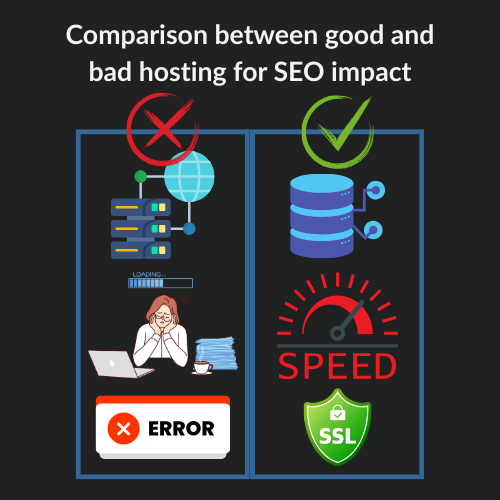
What Good Hosting Should Offer:
- Fast load times: Your site should load in under 3 seconds, or users will bounce.
- 99.9% uptime: If your site is offline, Google notices—and penalizes.
- Built-in security: SSL certificates, firewalls, and regular backups protect your data.
- SEO-ready features: Support for CDN, caching, and modern PHP versions to boost speed and rankings.
Recommended hosting providers include SiteGround, and WP Engine. At KGN Technologies, we help you choose and configure SEO-friendly hosting tailored to your business needs—no technical stress for you.
2. Using an SEO-Friendly WordPress Theme
The foundation of a well-optimized WordPress website starts with selecting an SEO-friendly theme. Your theme controls how your website looks and performs. A bloated or outdated theme not only slows your site but can make it hard for search engines to understand your content.
Why It’s Important:
An SEO-friendly theme loads faster, looks great on all devices, and helps search engines understand your content better. This improves your visibility in search results and gives users a better experience, which means they’re more likely to stay and convert.
- Speed matters: Heavy themes slow down page load time.
- Responsiveness matters: If your site isn’t mobile-friendly, Google lowers your ranking.
- Code quality affects crawlability: Clean code helps search engines properly index your pages.
- Outdated themes pose security risks.
How to Choose the Right Theme:
- Opt for lightweight and fast themes such as GeneratePress, Astra, or OceanWP.
- Ensure the theme is mobile-responsive to cater to users across devices.
- Look for themes that follow clean coding standards.
- Check for schema markup support, which helps search engines understand your content better.
- Verify that the developer updates the theme regularly.
If you’re unsure about selecting the best theme, working with a WordPress development agency in India can help you choose and customize one that aligns with your brand and SEO needs.
3. Optimizing Website Speed & Performance for Better SEO and User Experience
Let’s be honest—nobody likes a slow website. Think about the last time you visited a page that took more than 5 seconds to load. Did you wait patiently, or did you close it and move on?
Your customers do the same. And so does Google.
Why It’s Important:
Site speed is not just a user convenience—it’s a direct SEO ranking factor. If your website loads slowly, it creates two major problems:
- Visitors leave quickly, leading to a high bounce rate (a signal to Google that your content isn’t valuable). Users decide in 2–3 seconds whether to stay or leave.
- Search engines rank your site lower because speed is one of the signals Google uses to determine quality. Google favors faster websites in search results.
- A 1-second delay in load time can reduce conversions by 7%.
In simple terms:
A slow site = lower Google rankings + fewer conversions + unhappy visitors.
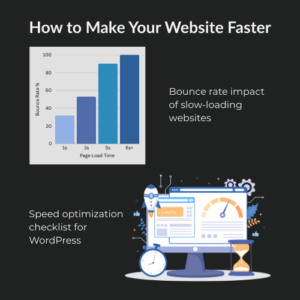
How to Make Your Website Faster:
Here are proven strategies to dramatically boost your website performance:
- Use caching plugins: Tools like WP Rocket or W3 Total Cache store temporary versions of your website so it loads faster for repeat visitors.
- Optimize images: Heavy images are often the #1 reason websites slow down. Compress them using tools like TinyPNG or use faster-loading formats like WebP.
- Minify CSS & JavaScript: These are behind-the-scenes codes that make your site function. Minifying them with plugins like Autoptimize makes the site lighter and quicker.
- Enable GZIP compression: This reduces the size of your web files and helps them load faster for every visitor.
- Use a Content Delivery Network (CDN): A CDN stores your website on multiple servers globally so users access it faster—no matter where they are.
KGN Technologies ensures your site runs lightning-fast with zero tech hassle. As one of the top WordPress development companies in India, we can implement advanced performance optimization strategies.
4. Your Permalink Structure Impacts SEO
Permalinks might sound technical, but they’re simply the URLs of the pages and posts on your website—like yourwebsite.com/about-us.
Now, here’s the thing: Google reads your URLs to understand what your page is about. So, if your permalink is messy or unclear, it can confuse both users and search engines.
Why It Matters:
Imagine you have two URLs:
- yourwebsite.com/blog/1234?postid=897
- yourwebsite.com/seo-tips-for-small-business
Which one would you click?
Which one helps Google understand the topic?
Exactly!
✅ Clean, keyword-rich URLs are easier to read, share, and rank.
❌ Complex or random-number URLs look spammy and hurt your chances of showing up on search engines.
That’s why optimizing your permalinks is a quick but powerful SEO improvement.
Best Practices for WordPress Permalinks:
- Use the “Post Name” structure: Go to your WordPress Dashboard → Settings → Permalinks, and select “Post Name.” This creates clean, readable URLs based on your post title.
- Add keywords naturally: Example – Instead of yourwebsite.com/page1, use yourwebsite.com/wordpress-seo-basics.
- Avoid unnecessary words or stop words: Remove filler words like “a,” “the,” and “and.” Keep it short and focused: kgntechnologies.com/optimize-wordpress-website-seo, not kgntechnologies.com/how-to-optimize-your-wordpress-website-for-seo.
- Don’t change existing permalinks randomly: If your page is already ranking, changing its URL can break links unless redirects are set up correctly.
Many small business owners don’t realize that poor permalink structure silently hurts their rankings. At KGN Technologies, we audit, fix, and optimize your entire URL setup as part of our SEO-focused WordPress development process.
We ensure:
- Your URLs are clean and keyword-friendly
- Redirects are in place to protect existing rankings
- Your whole website follows SEO best practices from the ground up
Let’s make your website easier for Google—and your visitors—to understand. Request a free permalink audit today!
5. Implementing On-Page SEO Best Practices
On-page SEO is all about optimizing the parts of your website that visitors and search engines can actually see and read—like your headlines, content, and links.
It’s not just about adding keywords. It’s about creating a user-friendly structure that makes it easy for Google to understand what each page is about and why it’s relevant to someone searching.
Why It Matters:
Think of Google as a librarian trying to organize a giant library (the internet). If your pages are poorly labeled or messy inside, it becomes harder for the librarian to recommend your book (website) to readers.
Good on-page SEO helps:
✅ Search engines rank your site higher
✅ Visitors stay longer (because your content is easier to follow)
✅ Improve your click-through rates from search results
Even the best-written blog post or service page can underperform if it’s not structured for SEO.
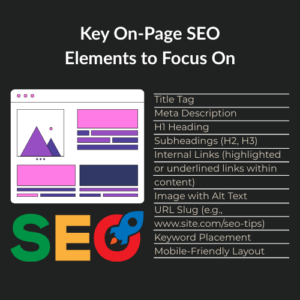
Key On-Page SEO Elements to Focus On:
- Title Tags: This is what shows up in Google search results. It should include your main keyword and entice people to click.
- Meta Descriptions: A short summary under your title in search results. It doesn’t directly impact rankings, but a good one boosts clicks.
- Headings (H1, H2, H3…): Break your content into sections with clear headings. This helps users skim easily and tells Google what’s important.
- Internal Linking: Link to other relevant pages on your site to guide users and distribute SEO value across your site. Example: Link your homepage to your services page or your blog to a case study.
- URL Structure: Keep URLs short, descriptive, and keyword-rich (as explained in the permalinks section).
- Outbound Links: Linking to trusted sources (like industry blogs or tools) boosts credibility in Google’s eyes.
How KGN Technologies Helps:
Most businesses either overlook on-page SEO or don’t know how to apply it correctly. That’s where we step in.
At KGN Technologies, we go beyond just placing keywords—we strategically structure your content so that it works for both humans and search engines.
Our team ensures:
All your titles, headings, and metadata are optimized
Internal links are used to boost SEO performance
Pages are structured for readability, engagement, and rankings
Want your pages to rank higher and convert better? Contact us for a complete On-Page SEO Review.
6. Using SEO Plugins for WordPress
SEO plugins are like having a smart assistant built into your website. They help guide you to make the right SEO choices—without needing to be a tech expert.
Think of them as your all-in-one SEO toolbox for WordPress. From optimizing your content to generating sitemaps, these plugins make it easier to follow SEO best practices and get noticed on Google.
Why It Matters:
Even if your content is great, search engines need help understanding your website. Without proper SEO settings, you could be missing out on traffic and showing up lower in search results—even if you have the best product or service.
An SEO plugin helps with:
✅ Adding keywords and metadata in the right places
✅ Checking if your content is SEO-friendly and easy to read
✅ Creating sitemaps so search engines can find all your pages
✅ Setting up breadcrumbs (those tiny links at the top of a page)
✅ Helping with redirects and fixing broken links
Recommended SEO Plugins for WordPress:
- Yoast SEO: One of the most popular plugins. Helps you write better content, optimize titles and descriptions, and even shows a “green light” when your SEO settings are done right.
- Rank Math: Packed with advanced features like schema markup, local SEO settings, and built-in keyword tracking. Great for users who want more control.
- All-in-One SEO Pack: A reliable alternative for setting up metadata, XML sitemaps, and social sharing previews.
What to Do After Installation:
Just installing an SEO plugin won’t boost your rankings. It needs to be properly configured and used consistently.
You need to:
- Choose the right focus keywords for every page.
- Customize titles and meta descriptions for better clicks.
- Set up your XML sitemap and submit it to Google Search Console.
- Enable schema for better visibility in search results (like review stars or FAQs)
7. Optimizing Images for SEO
Images can either help your SEO or silently hurt it.
Beautiful visuals make your website attractive—but if those images are large or unoptimized, they slow down your site, frustrate visitors, and drag down your rankings. That’s why image SEO is a must, not an option.
Why It Matters:
- Slow-loading images make your website feel sluggish. Visitors leave before the page even loads—hurting your conversions and your SEO.
- Search engines can’t see images the way humans do. Without proper alt text, they can’t understand what the image is about. That’s a lost opportunity to rank for related keywords.
- Uncompressed images take up unnecessary space, increase bounce rates, and lower user satisfaction—especially on mobile.
Think of it like this: You wouldn’t hang a massive painting in a small hallway—it just doesn’t fit well. Same with oversized images on your site.
Image SEO Best Practices:
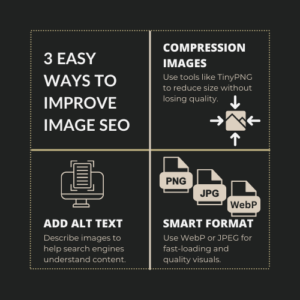
To get the best of both worlds—visual appeal and performance—follow these steps:
- Use the Right Format: Use JPEG for photos and WebP for lightweight, modern compression. Avoid using PNGs unless necessary.
- Compress Your Images: Tools like TinyPNG or ShortPixel reduce file size without losing quality. This improves speed while keeping your site looking sharp.
- Add Descriptive Alt Text: Alt text tells search engines (and visually impaired users) what the image shows. Make it keyword-relevant and natural—like: alt=”WordPress Development Company in India.”
- Use Lazy Loading: This loads images only when the visitor scrolls to them, which helps pages load faster upfront.
- Rename Image Files Properly: Instead of IMG_1234.jpg, use a name like custom-wordpress-development-india.jpg to give search engines more context.
A WordPress website development company ensures proper image optimization for SEO benefits.
8. Mobile Optimization & Responsive Design
More than half of your visitors are likely viewing your site from a mobile device. If your website doesn’t look good or work smoothly on their phones, they’re going to leave—and fast.
Google knows this, too. That’s why mobile-friendliness is a direct ranking factor in its search algorithm.
Why It Matters:
- First Impressions on Mobile Count: A website that’s hard to read or navigate on mobile drives visitors away, which increases bounce rates—and search engines see that as a bad signal.
- Google Uses Mobile-First Indexing: This means Google primarily uses the mobile version of your website for indexing and ranking. If your mobile experience is broken or slow, your SEO suffers—even if your desktop version is perfect.
- Conversions Drop on Unresponsive Sites: If users have to pinch and zoom to read your content or buttons are too small to tap, they’re unlikely to take action (like filling out a form or calling you).
Mobile Optimization Best Practices:
Here’s how to ensure your site performs great on all devices:
- Use a Responsive WordPress Theme: This automatically adjusts your layout based on the screen size—desktop, tablet, or mobile—without requiring a separate mobile site.
- Test with Google’s Mobile-Friendly Tool: This free tool checks how easily a visitor can use your page on mobile devices and points out areas to improve.
- Optimize Touch Elements: Buttons, links, and menus should be easy to tap with a thumb—no frustration, no zooming required.
- Avoid Intrusive Pop-Ups: Pop-ups that cover the screen on mobile annoy users and can negatively impact SEO if they hinder content access.
- Enable AMP (Optional): Accelerated Mobile Pages (AMP) load super fast on mobile. It’s not a must, but for content-heavy blogs or media sites, it helps.
A top WordPress firm in India specializes in mobile optimization techniques.
9. Improving Website Security for Better SEO
You wouldn’t leave the front door of your business wide open, right? The same logic applies to your website.
An unsecured website isn’t just vulnerable to hackers—it also gets punished by Google in search rankings. Worse, it could lose customer trust permanently.
Why It Matters:
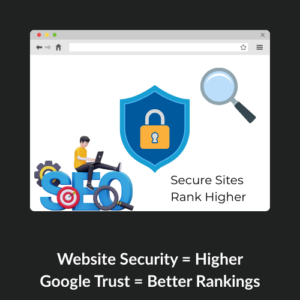
- Google Gives Preference to Secure Websites: Ever noticed the little lock symbol in the address bar? That’s HTTPS, and it tells users that your site is secure. Google uses it as a ranking signal, meaning if your site doesn’t have it, your rankings may suffer.
- Security Breaches Can Get You Blacklisted: If your website gets hacked, it may spread malware. Google could completely remove your site from search results to protect users. That’s a disaster for SEO.
- Customer Trust is Non-Negotiable: Even one “Not Secure” warning in a browser can scare away potential customers. People won’t enter their details on a site that seems unsafe—would you?
- Downtime = Lost Rankings & Revenue: If your website is under attack or gets shut down due to a breach, search engines might flag it, and customers won’t be able to access your content or services.
 Website Security Best Practices:
Here are the must-haves to protect your site and SEO:
- Install an SSL Certificate (HTTPS): This encrypts data shared between your site and users—it’s critical for SEO and user trust. Most hosting providers offer it for free.
- Use a Security Plugin: Tools like Wordfence or Sucuri help block malicious traffic, scan for malware, and send real-time alerts for suspicious activity.
- Keep WordPress Core, Themes & Plugins Updated: Old software is one of the easiest ways hackers get in. Update everything regularly to patch security holes.
- Enable Two-Factor Authentication (2FA): Adding an extra step to logins makes it much harder for hackers to gain access.
- Limit Login Attempts: Prevent brute-force attacks by limiting how many times someone can try to log in.
The best WordPress development company ensures security measures are in place. We implement enterprise-level WordPress security for every client—whether you’re running a blog or an eCommerce store.
✅ Automatic SSL setup
✅ Daily backups & malware scans
✅ Plugin & theme monitoring
✅ Firewall and bot protection
We don’t just build websites—we secure them to protect your SEO and your business.
10. Local SEO Optimization for WordPress
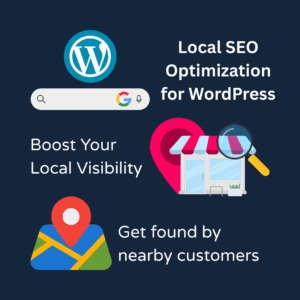
If you want customers from your city or region to find your business online, Local SEO is not just helpful—it’s essential.
Imagine someone in your neighborhood searching for the “best cake shop near me” or “WordPress developer in [Your City].” If your website isn’t optimized for local SEO, you’ll miss out on those leads—even if your services are great.
Why It Matters:
- Local Searches Drive Real Foot Traffic & Sales: Studies show that 76% of people who search for something nearby visit a business within 24 hours, and 28% make a purchase. That’s powerful.
- Google My Business Helps You Appear on Maps & Local Listings: Showing up on Google Maps or the “3-pack” (the top 3 local results) gives your business massive visibility in your local market.
- Voice Search is Changing How People Search: People are now asking their phones things like, “Where can I find a WordPress developer near me?” Local SEO ensures you show up in those results.
- It Builds Local Trust: Local customers are more likely to trust and hire businesses that appear well-placed and reviewed online within their region.
Local SEO Strategies for WordPress:
Here’s how we help you capture your local audience effectively:
- Claim & Optimize Your Google Business Profile: Ensure your business info is accurate, consistent, and includes the right keywords. Add photos, business hours, and services, and respond to reviews.
- Use Location-Based Keywords Naturally: For example – “WordPress development agency in Mumbai” or “custom eCommerce site in Delhi.”
- Add Location Pages on Your Website (If Multi-City): Each city you serve should have a dedicated, optimized page with unique content.
- Use Local Schema Markup: This code helps Google better understand your business type and location. We implement this for you behind the scenes.
- Encourage & Manage Customer Reviews: Positive reviews not only build trust but also signal to Google that your business is active and relevant.
- Get Listed in Local Directories: We help list your business in nation-specific and global directories—like Clutch and Yelp—for better local authority.
As a WordPress development agency in India, we implement a strong local SEO strategy. We build WordPress sites that are optimized from the ground up for your city, your audience, and your growth.
11. Leverage Technical SEO
Think of technical SEO like the behind-the-scenes crew of a show. You don’t see them, but without them, the whole show (your website) wouldn’t run smoothly—or get noticed by viewers (Google).
Even the best-looking website can fail to rank if technical SEO is missing or broken.
Why It Matters:
- Search Engines Need to Understand Your Site: Google sends bots (called crawlers) to “read” your website. If your site isn’t structured properly, it’s like giving those bots a messy, unreadable document. They’ll skip it—and that means no visibility for you.
- Poor Technical Setup = Lost Traffic: Broken links, slow page loading, duplicate content, or no sitemap? All of these technical problems stop your site from ranking—even if your content is great.
- A Solid Foundation Helps All Other SEO Work: Think of technical SEO as the foundation of a house. Without it, your keyword research, blog writing, and backlinks won’t matter.
Key Technical SEO Elements:
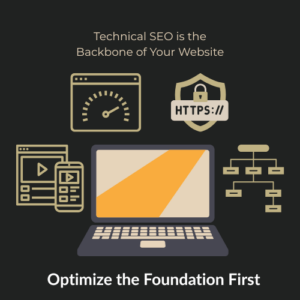
- XML Sitemap Setup: A sitemap helps Google quickly find and index all your pages. We generate and submit it using tools like Google Search Console.
- Fixing Broken Links (404 Errors): Broken pages hurt user experience and rankings. We scan your site using tools like Screaming Frog and fix every dead end.
- Clean Site Architecture: A clear navigation structure makes your website easy for both users and search engines to browse. We create logical page hierarchies (Home → Services → WordPress Development, etc.)
- Add Breadcrumbs Navigation: These show users where they are on your site and help Google understand the structure.
- Canonical Tags: Prevents duplicate content issues by telling Google the “main” version of a page.
- Image Indexing and Structured Data: Structured data (schema markup) tells Google what each part of your site is—like reviews, services, products, or blog posts.
Want to make your website “Google-friendly” from the ground up? Request a Quote or Contact Us today.
12. Optimize Your Content for SEO
Your content is what search engines rank and what visitors read—so it needs to be useful, valuable, and optimized for visibility.
SEO-friendly content is not just about keywords—it’s about answering your audience’s questions, providing solutions, and doing it better than your competitors.
Why It Matters:
- Content is What Ranks in Google: Your homepage, blog posts, and service pages are what Google shows in search results. If your content is thin, poorly structured, or irrelevant, you’ll lose traffic and visibility.
- Great Content Builds Trust & Authority: Google favors websites that consistently publish helpful, in-depth content that answers user intent. When you help your audience, you earn their trust—and higher rankings.
- Content Attracts Backlinks & Shares: High-quality content naturally earns backlinks, which boosts your domain authority and helps all your pages rank better.
What You Should Focus On:
- Keyword Research & Intent Matching: We identify what your audience is actually searching for (not just high-volume keywords) and tailor your content to match their needs.
- Long-Form Content That Solves Problems: Posts and pages over 1,000 words tend to rank better because they provide more value. But we ensure it’s structured for readability, not just word count.
- Use of Long-Tail Keywords: Instead of broad terms like “WordPress development,” we target specific phrases like “custom WordPress development services for small businesses” to capture highly motivated traffic.
- Structured Content with Headings & Bullet Points: Clear formatting improves readability and helps Google understand your page layout.
- Clear Call-to-Actions (CTAs): Every piece of content should guide the reader toward action—contacting you, requesting a quote, or learning more.
- Enhanced with Multimedia: We include images, videos, and infographics to make your content more engaging and improve time on-site (another SEO factor).
A WordPress website development company can help craft content that aligns with SEO strategies, ensuring maximum visibility. Each blog post becomes a traffic magnet, bringing in leads who are actively looking for solutions.
13. Building High-Quality Backlinks
Backlinks are like votes of confidence from other websites. When trusted sites link to your content, search engines see your site as more valuable and trustworthy—and that directly improves your rankings.
However, not all backlinks are created equal. You need relevant, high-quality links, not just any links.
Why It Matters:
- Backlinks Boost Domain Authority: Think of domain authority as your website’s “reputation score.” The more trustworthy websites that link to you, the more credible you look in Google’s eyes.
- They Help You Rank Higher & Faster: A page with great content but no backlinks may struggle to rank. But with even a few strong backlinks, you can jump ahead of your competitors.
- They Drive Referral Traffic Too: Links from relevant blogs, directories, or media sites can bring you new visitors who are already interested in your products or services.
- Backlinks Build Long-Term Value: Unlike paid ads that stop working when the budget ends, a good backlink keeps sending traffic and SEO value for months—or even years.
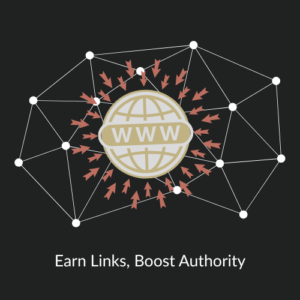 Strategies to Build Backlinks:
- Guest Blogging on Niche Sites: Write helpful articles for other websites in your industry and include a backlink to your site.
- Broken Link Building: Find broken links on blogs or directories, then suggest your content as a replacement—helping them fix their site and gaining a backlink in return.
- Outreach & Networking: Connect with bloggers, influencers, and business directories to promote your best content and earn natural links.
- Content Promotion & Social Sharing: High-quality content is more likely to get linked to—so create and promote it smartly, increasing the chances of earning backlinks.
- Competitor Backlink Analysis: Analyze your top competitors to find out where they’re getting backlinks—and help you tap into similar opportunities.
Tools & Tactics To Use:
- Ahrefs & SEMrush – to track backlink opportunities and monitor growth
- PR (Press Release) – to get mentions in media outlets
- Industry directories – to build citations and local SEO backlinks
- Internal link strategies – to strengthen your site’s internal authority
If you’re struggling to build backlinks, collaborating with WordPress development companies in India that offer SEO services can be a great option. We’ll help you create a sustainable backlink strategy that builds authority, improves rankings, and keeps your website ahead of the competition.
Contact Us or Request a Quote to get started.
14. Regular SEO Audits & Performance Monitoring
Even the best SEO strategy needs maintenance. Search engines constantly update their algorithms, competitors keep improving, and your website evolves over time. That’s why regular SEO audits and performance monitoring are essential to long-term success.
An audit helps you spot what’s working, what’s broken, and what needs improvement—before your traffic drops.
Why It Matters:
- SEO Isn’t “Set It and Forget It”: Just like your car needs regular servicing, your website needs routine SEO checkups to stay in top shape.
- Identify & Fix Issues Early: Broken links, slow pages, outdated content, or technical errors can quietly hurt your rankings. An audit helps find and fix these issues early.
- Track Keyword Performance: Are you ranking higher? Is traffic increasing? Are people clicking on your site? Monitoring answers these questions and helps guide future strategy.
- Keep Up with Google’s Algorithm Updates: Search engines change the rules often. A regular audit ensures your website stays compliant and competitive.
- Make Smarter Marketing Decisions: With performance insights, you’ll know exactly which pages drive the most leads—and where to focus next.
What To Do During an SEO Audit:
- Run Technical Site Checks – Identify broken links, indexing issues, slow pages, and mobile usability errors.
- Review On-Page SEO Elements – Check titles, meta descriptions, headings, alt tags, and internal linking structure.
- Analyze Keyword Rankings – See how your target keywords are performing and which ones need more attention.
- Backlink Profile Check – Spot harmful backlinks, monitor referring domains, and discover new link opportunities.
- Track Conversion Metrics – Review how SEO traffic is converting into leads or sales.
Tools To Use:
- Google Analytics & Google Search Console – Monitor traffic, performance, and crawlability.
- SEMrush / Ahrefs / Screaming Frog – Perform deep technical audits and competitor comparisons.
- PageSpeed Insights – Test and improve site speed.
- Ubersuggest – Get easy-to-read keyword and content insights.
Ongoing Monitoring = Continuous Growth
Don’t just fix problems—build a system that continuously improves your site’s visibility and conversions over time. That’s the power of regular audits and smart SEO monitoring.
Let’s Keep Your Website Ahead of the Curve
Stay on top of your SEO game and never miss an opportunity to grow. A top WordPress firm in India provides SEO maintenance and performance tracking.
Final Thoughts: Let's Turn Your WordPress Site Into a Search Engine Magnet
SEO isn’t just about keywords or installing a plugin—it’s about building a strong foundation, delivering great user experience, and staying consistent with updates that matter. Every step you take—from choosing the right hosting and optimizing your speed to improving content and fixing technical issues—brings you closer to higher visibility, more traffic, and better business growth.
But we know it can be overwhelming to do it all alone—and that’s where we come in.
At KGN Technologies, we specialize in helping businesses like yours get found, stay fast, and grow online. Whether you’re starting from scratch or trying to fix what’s already there, our expert team knows exactly how to make WordPress SEO work for you—from behind-the-scenes technical fixes to full-scale strategy.
Ready to Grow?
If you’re serious about increasing your website traffic, improving user experience, and ranking higher on Google—now’s the time to act.
Contact KGN Technologies or Request a Quote, and let’s build an SEO-friendly WordPress website that drives real results.
Let’s turn your site into your strongest marketing tool.